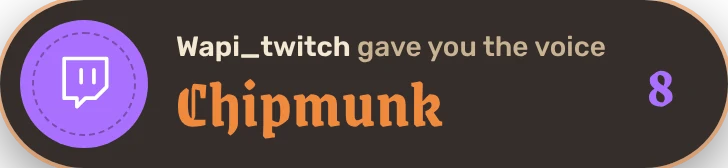
Twitch and overlay
Your viewers spend their channel points to change your voice or play a sound, and the overlay shows it on your stream.
Channel points and the overlay are part of the subscription. Channel points require Twitch Affiliate or Partner status.
Link your channel
- In Taverne Voice, open the Twitch & OBS tab.
- Click Link my Twitch channel. A Twitch page opens with a code.
- Sign in with your channel's account and type the code shown in the app.
Taverne Voice never sees your Twitch password. You can unlink your channel anytime; the rewards created by Taverne Voice are then removed.
Create a reward
- Choose Change my voice (with a duration), Play a sound, Roulette or Challenge.
- Choose the voice or the sound, the cost in points and the title shown on Twitch.
- Click Create on Twitch. The reward shows up on your channel right away.
Test plays the reward without Twitch, to check how it looks on your stream. Pause hides it on Twitch without deleting it.
- Voices play one after the other: if two viewers ask for one at the same time, the second waits its turn.
- At the end, your previous voice comes back on its own.
- If the app can't play the reward (sound muted, voice deleted…), the points go back to the viewer.
The OBS overlay
- In OBS, add a Browser source.
- Address:
http://127.0.0.1:47321/overlay, width 1920, height 1080. - In Taverne Voice, choose what it shows (active voice, sounds playing, channel points, roulette and challenges), the screen corner and the size. Changes apply without touching OBS.