
Roulette and challenges
The Interactive tab turns your voice into a game: roulette, challenges, timer and automatic reactions.
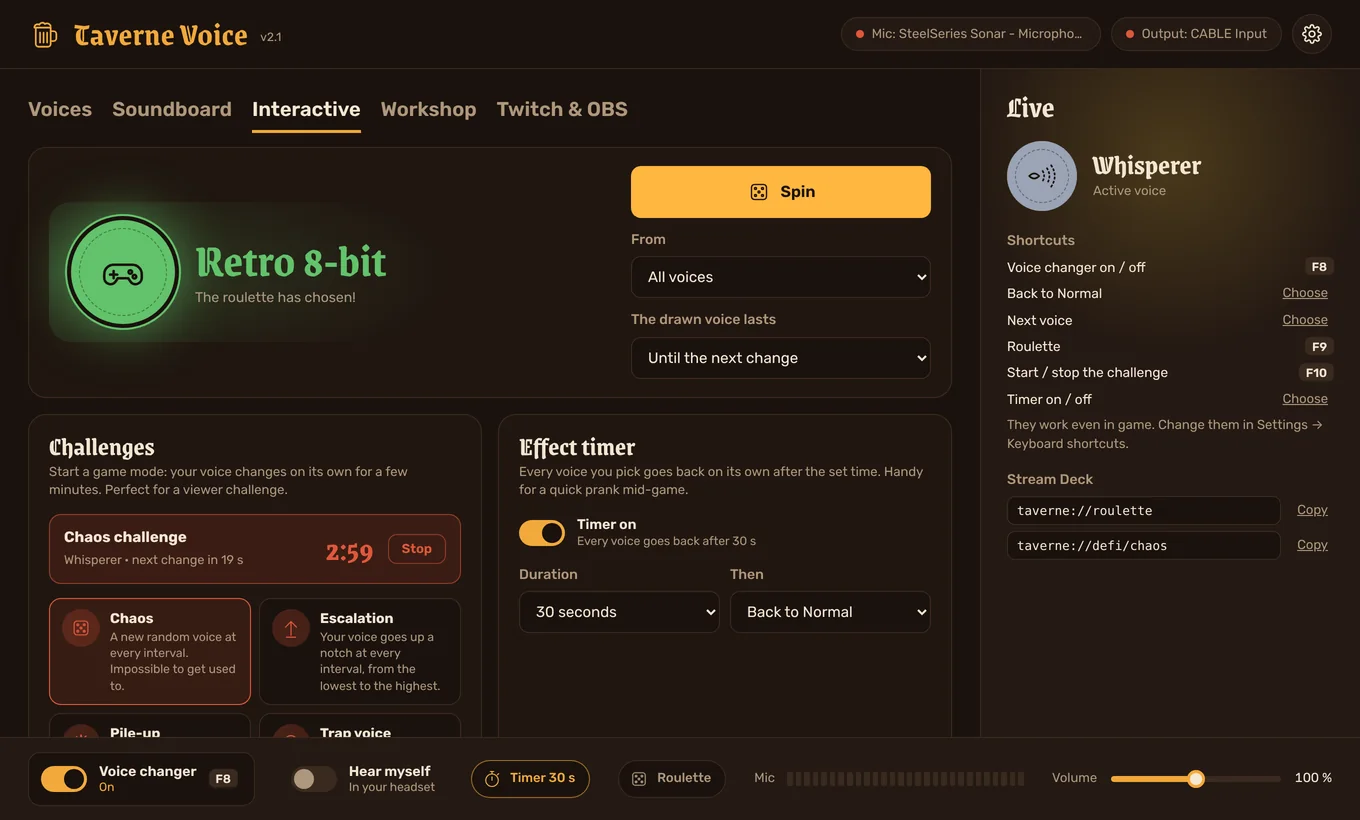
The roulette, challenges and automations are part of the subscription. The timer also works in the demo.
The roulette
Click Spin (or Roulette at the bottom of the window): the voices scroll by and one lands at random, never the one you already have. You choose:
- From: all voices, your favorites, the Taverne Voice voices or your custom voices.
- The drawn voice lasts: until the next change, or 15 s to 5 min.
The OBS overlay shows the spinning wheel and the winning voice.
Challenges
A challenge changes your voice on its own for a few minutes. Choose the interval (10 s to 1 min) and the duration (1 to 10 min), then click a challenge. Stop brings your previous voice back.
| Challenge | What happens |
|---|---|
| Chaos | A new random voice at every interval. |
| Escalation | Your voice goes up a notch at every interval, from the lowest to the highest. |
| Pile-up | An effect is added at every interval: echo, robot, cave, vibrato… all the way to total chaos. |
| Trap voice | At every interval, a one-in-three chance of landing on a trap voice for 10 seconds. |
The effect timer
Turn it on in the Interactive tab or with the Timer button at the bottom of the window: every voice you pick goes back on its own after the set time (5 s to 10 min), to Normal or to the previous voice. The countdown shows in the app and in the overlay.
Automations
Build “When… then…” rules. Examples:
- When I shout into the mic, then play the sound “Crowd going wild”.
- When I stop talking for 2 minutes, then spin the roulette.
- When I switch to the voice Demon, then play the sound “Thunder”.
- When Taverne Voice starts, then switch to the voice of your choice.
Each automation has a cooldown (5 s to 5 min) so it doesn't repeat in a loop. Test runs it right away so you can try it.
With Twitch and the Stream Deck
- In the Twitch & OBS tab, a reward can spin the roulette or start a challenge: the viewer's name shows in the overlay.
- On a Stream Deck:
taverne://roulette,taverne://defi/chaos… (see Stream Deck). - On the keyboard: pick a key for the roulette, the challenge, the next voice or the timer in Settings → Keyboard shortcuts.