
Workshop and profiles
Create your own voices, organize them, and share them with a code.
The workshop and custom voices are part of the subscription.
The workshop
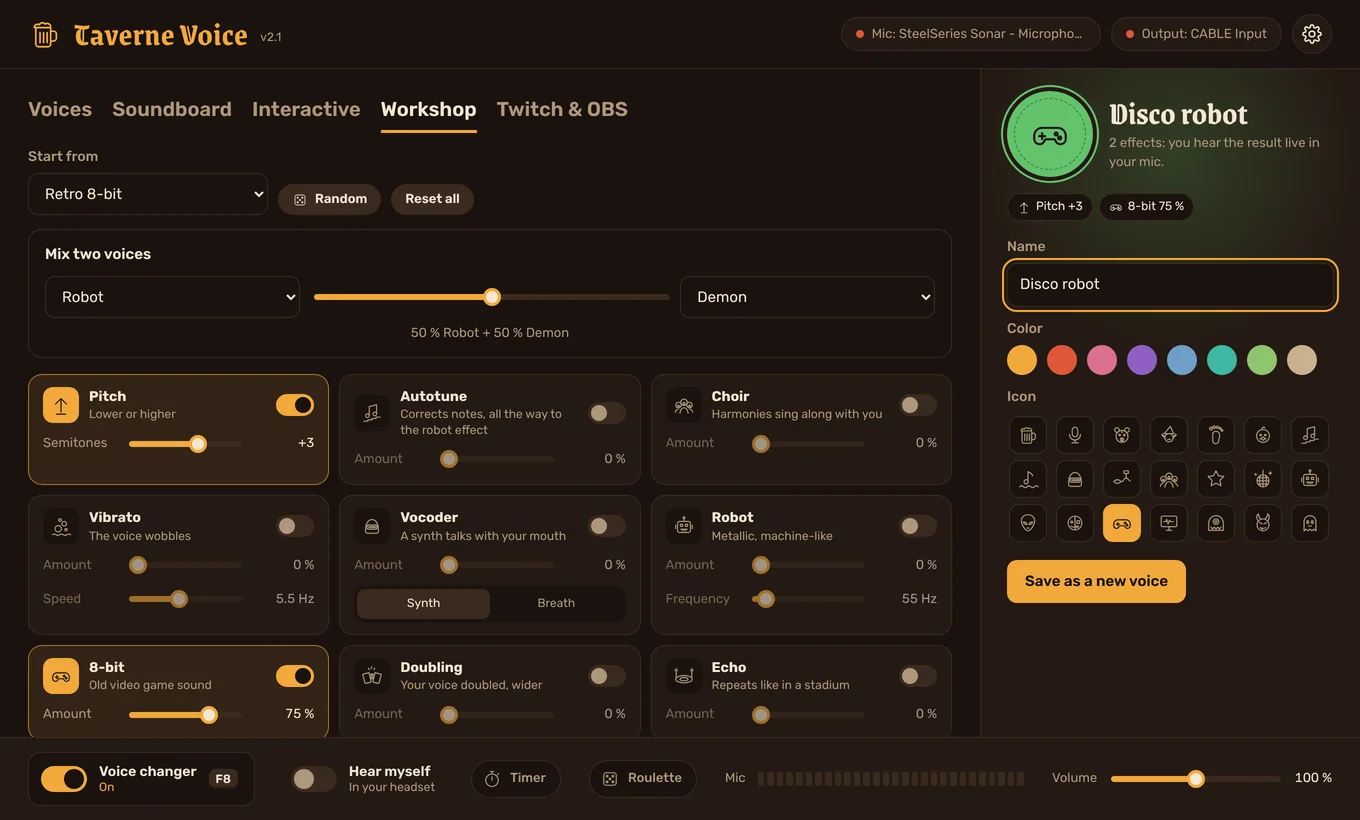
- Open the Workshop tab. It starts from the voice you're using (change it in Start from).
- Turn effects on and set their amount: pitch, autotune, choir, vibrato, vocoder, robot, 8-bit, doubling, echo, cave, grain and filter. Talk: you hear the result live.
- Give it a name, a color and an icon, then Save as a new voice.
- Mix two voices: choose two voices and slide between them (for example 70% Robot + 30% Demon).
- Random: a surprise combination of effects, to keep if you like it.
- Reset all: start again from your normal voice.
Your voices (profiles)
Your custom voices are in the My voices category. Drag them to reorder them. In a voice's panel:
| Button | What it does |
|---|---|
| Duplicate | Creates an editable copy (also works on the Taverne Voice voices). |
| Update | After moving the sliders, saves the changes into this voice. |
| Reset | Restores the original voice's settings (for a copy of a Taverne Voice voice). |
| Rename, icon… | Changes the name, description, color and icon. |
| Share | Gives you a code to send, or a .tvprofil file. |
| Keyboard shortcut | A key to switch to this voice, even in game. |
Your favorites (the star) are also used by the roulette and the “next / previous voice” keys.
Share a voice
- Pick your voice and click Share.
- Copy the code (it starts with
TVP1.) and paste it into Discord, your chat… - Your friend clicks Import a voice in “My voices” and pastes the code, even with text around it.